

fastadmin默认跳转的成功和失败页面取消不提示的修改方法
默认admin或index控制器的$this->success('')或$this->error('')方法的跳转页面

在FastAdmin中,默认退出登录后会显示"退出成功"的提示信息并跳转页面。要实现不显示提示信息直接跳转,可以通过以下方式修改
$this->redirect('index/login');使用redirect方法跳转就不会有提示信息,适用于error和success带跳转提示的方法
示例
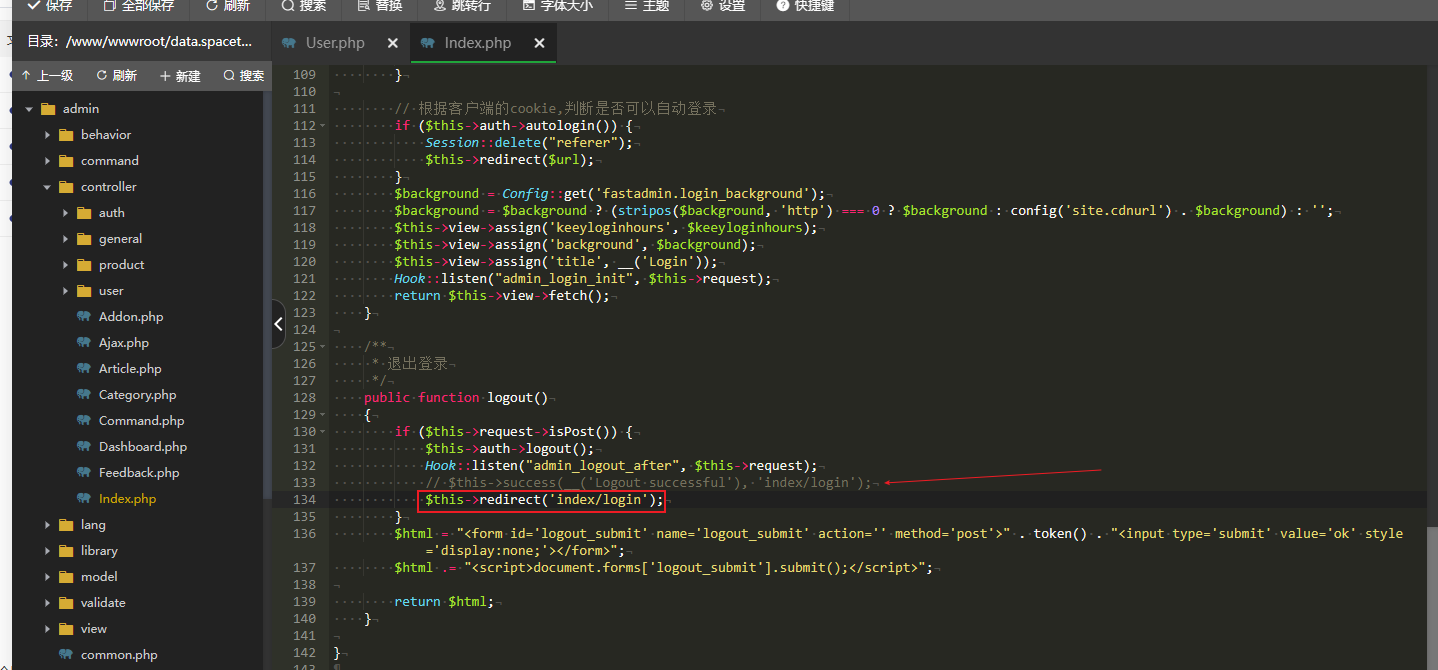
将$this->success(__('Logout successful'), 'index/login');删除替换成$this->redirect('index/login');即可,这里使用的是admin的logout退出登录方法举例
 /**
     * 退出登录
     */
    public function logout()
    {
        if ($this->request->isPost()) {
            $this->auth->logout();
            Hook::listen("admin_logout_after", $this->request);
            // $this->success(__('Logout successful'), 'index/login');
            $this->redirect('index/login');
        }
        $html = "<form id='logout_submit' name='logout_submit' action='' method='post'>" . token() . "<input type='submit' value='ok' style='display:none;'></form>";
        $html .= "<script>document.forms['logout_submit'].submit();</script>";

        return $html;
}原创文章,转载请注明:fastadmin默认跳转的成功和失败页面取消不提示的修改方法 | 知识改变命运
转载请注明出处: 知识改变命运 » fastadmin默认跳转的成功和失败页面取消不提示的修改方法
